Register in KITopen
After you have successfully published a data set, you unfortunately have to manually add it to KITopen to add the publication to your KIT account and thus to your publication list. In the future there might be a function to automatically add the data publication to KITopen, however so far we need to manually add the publication to KITopen. Therefore, you need to log in to KITopen using your KIT account. After you’ve successfully logged into your account, select the button Research Data / Software (Figure 6.1). Important: make a mark at “deposit only a reference (do not publish (a) file(s))” (Figure 6.2). You will get a form to fill out the DOI given by RADAR4KIT and some information about your publication. Follow the instructions and use the information buttons on each from.
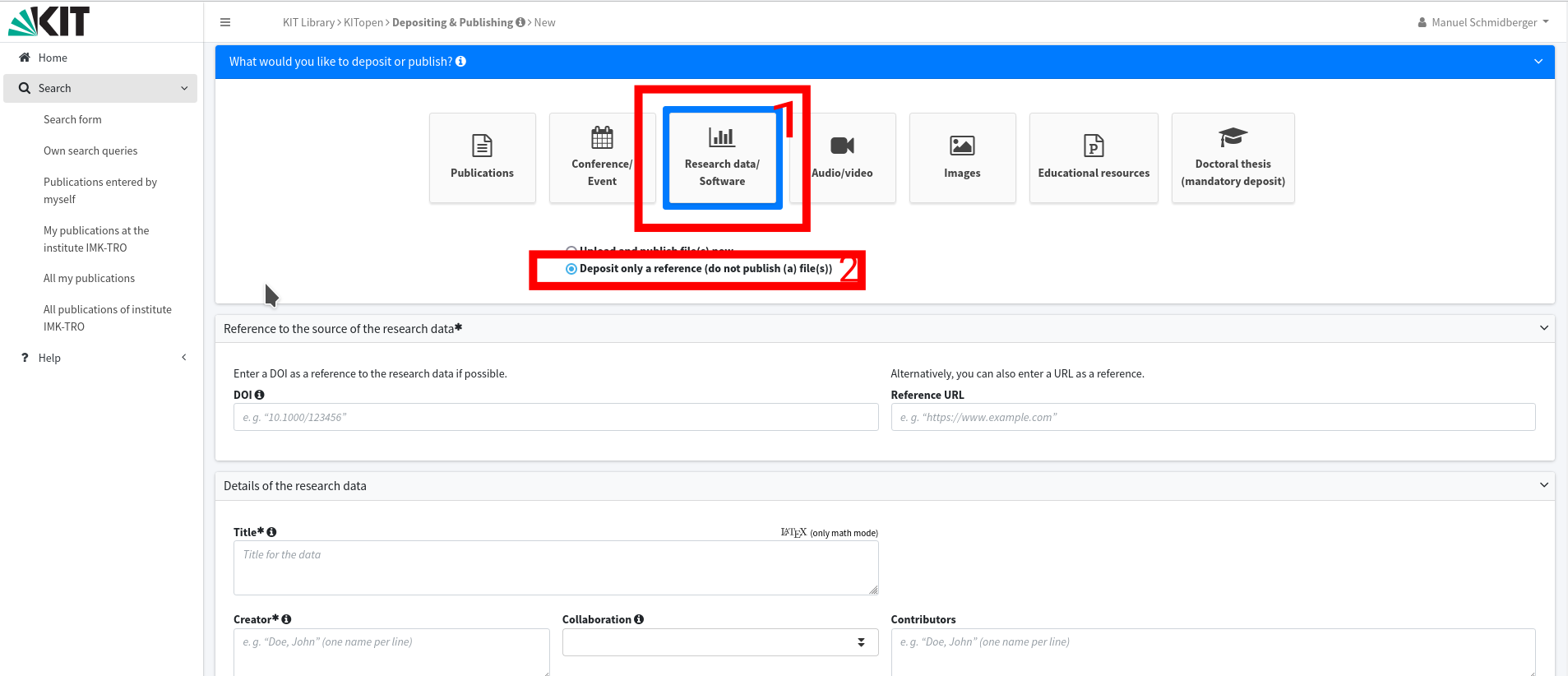
Fig. 6 Add data publication to KITopen
If you have some external data publications (e.g. from prior your employment at KIT) scroll down to the KIT-related information (Figure 7) and fill out the POF structure and the related project form.
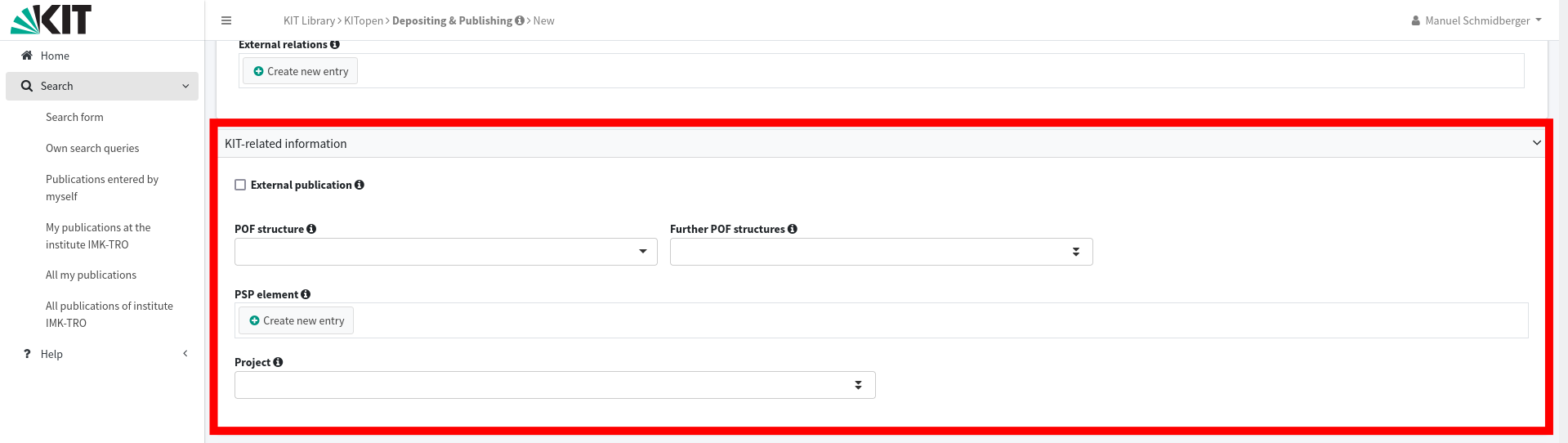
Fig. 7 Form for external data publications